
Log in MY888 is a familiar step for players who already have an account with the brand. Simply remember the correct login details and verify the link before proceeding to make account login smoother. From computers to phones, each method of logging into MY888 follows its own steps to suit different needs.
Steps to log in MY888 quickly and safely
Before logging into MY888, players should verify the correct address they are using. Login details must be entered accurately, while passwords should not be saved on public devices. A few checks before log in can help reduce errors during login.
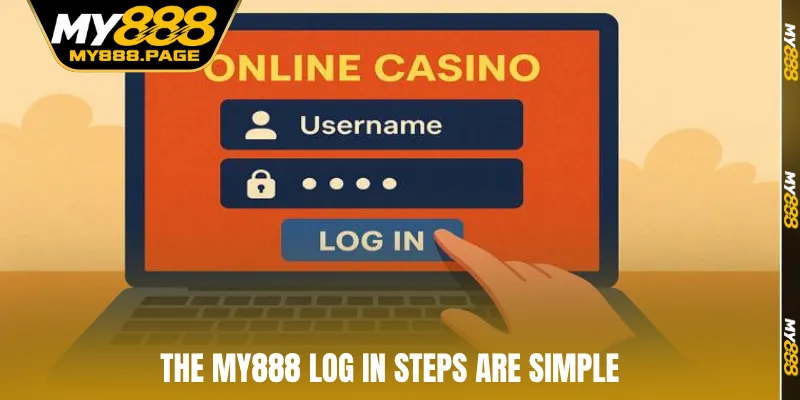
MY888 account access process for PC
A computer suits players who need a wider screen to handle multiple functions at once. The browser should be updated to reduce display issues when opening the page. After confirming the correct address, players only need to follow each step below.
- Step 1: Open a familiar browser on your computer, enter the correct MY888 address, then check the interface before continuing.
- Step 2: Select log in, enter your registered username and password in the corresponding fields.
- Step 3: Recheck the characters again, especially uppercase, lowercase, numbers, or symbols in the password.
- Step 4: Click the account login button, then wait for the page to process the request.
- Step 5: When the personal interface appears, recheck the username to ensure you have logged into the correct profile.
- Step 6: If an error occurs, avoid entering the details repeatedly. Instead, review the information or use the recovery function.
Steps to Log in MY888 on mobile
Phones offer more flexible access while on the move. Players can use a browser or official app depending on the method supported. Before proceeding, check the network connection, then follow the appropriate steps.
- Step 1: Open the browser or MY888 app on your phone.
- Step 2: Select the log in area on the main interface.
- Step 3: Enter your username and password in the correct fields.
- Step 4: Check the details before pressing the access button.
- Step 5: Wait for the account interface to load fully.
- Step 6: Log out after use on a device that is not under your control.
What can you do after log in to MY888?
After accessing MY888, players can manage various options related to their profile. The personal area usually allows them to check details, adjust settings, or monitor transactions as needed. Regular checks can help players quickly detect unusual information.
- Change password: Update the password when needed, preferably using an unpredictable combination that does not match personal details.
- Update profile: Review your name, email, phone number, and related data to keep account information accurate.
- Review transactions: Monitor deposit history, withdrawals, or balance changes over time.
- Manage devices: Review active sessions if casino supports this feature, then log out from devices no longer in use.
- Notification settings: Adjust alerts according to your needs to avoid missing important information.
- Contact customer support: Send a support request when facing technical errors, forgetting a password, or needing login assistance.
- Promotions: Follow current offers and read the conditions carefully before making a selection.
- Use the app: If a suitable version is available, players can install the application on their personal device.
- Manage passwords: Change them periodically when necessary and never share login details with others.
- Personal information: Verify the details before making transactions of significant value.
Things to note when using log in MY888
A few simple habits can help keep account access more stable. Players should prioritize personal devices, reliable network connections, and accurate account details. Before each access session, checking the link is also a step worth maintaining.
- Verify the correct casino address before entering login details.
- Do not share your password with others through messages.
- Avoid using passwords that are too short or easy to guess.
- Do not enter login information on public devices.
- Verify the network connection before logging in.
- Do not repeatedly enter passwords before identifying the cause of the error.
- Check the keyboard when the password contains special characters.
- Disable password-saving features on shared devices.
- Log out after completing a session on an unfamiliar computer.
- Update the application if an old version causes errors.
- Review your personal information once the interface has fully loaded.
- Contact customer support if login functions continue to experience problems.
Errors when using log in MY888 and how to fix them
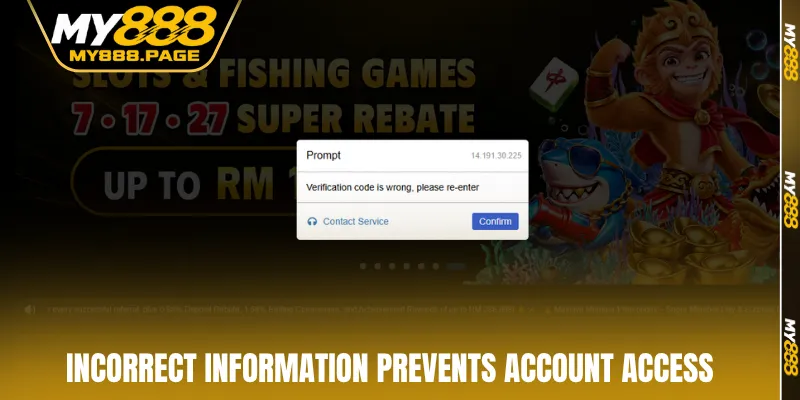
Each access error usually has its own signs, so players should identify the cause before taking action. Handling each case separately can reduce incorrect operations while resolving account issues.
|
Common error |
Cause |
Solution |
| Incorrect username | Wrong characters entered or missing information | Check the username, then enter it correctly again |
| Incorrect password | Confusing uppercase, lowercase, numbers, or symbols | Check the keyboard, then re-enter the password |
| Forgotten password | Unable to remember the previously created password | Select the recovery function and follow the instructions |
| Page does not load | Weak network connection or browser error | Check the network, reload the page, or switch browsers |
| Access button not visible | Interface has not loaded completely | Reload the page, clear the cache, then try again |
| Application freezes | Outdated version or insufficient device resources | Close the application, reopen it, or update to the latest version |
| Correct details entered but an error remains | Automatically saved data may be inaccurate | Delete the old information, then enter it manually |
| Account temporarily locked | Incorrect information entered multiple times | Wait according to the instructions, then use the recovery method |
| Verification code not received | SMS or email delivery is delayed | Check the inbox, phone number, and network connection |
| Browser reports an error | Cookies or cached data are causing a conflict | Clear browser data, then access the account again |
| Unable to access on mobile | Unstable mobile network | Switch to another connection, then try again |
FAQ about log in to a MY888 account
The following questions focus on common situations players may encounter during account access. The appropriate solution should depend on the specific cause rather than trying several actions at once. If the issue persists, customer support is the appropriate channel for assistance.
Can I log in to MY888 on a phone?
Players can access MY888 through supported mobile methods. Before using them, check whether the application or browser is compatible with the device.
What should I do if I forget my password?
Players should select the password recovery option on the login interface. Then complete the verification process using the information linked to their profile.
Why can’t I access my account even after entering the correct information?
The issue may be related to the network connection, browser cache, or login status. Check each factor individually before trying again.
Should I save account information on a public computer?
Saving passwords on shared devices is not recommended because login details could be seen by others. After the session, players should fully log out.
What should I do if log in keeps failing?
Stop repeated attempts, then check the username, password, network connection, and browser. If the issue cannot be resolved, players can contact customer support for suitable guidance.
Conclusion
Log in correctly helps players manage their accounts more conveniently during each access session. Check the address, password details, and device before proceeding to reduce unnecessary errors. When an issue occurs, identify the cause first, then handle it step by step instead of repeatedly entering the same information. Maintaining careful access habits keeps the experience with MY888 more organized and under control.