Deposit at the betting site offers three options suited to payment habits in Malaysia, including FPX Online Banking, Touch ’n Go eWallet, and QR Code. Each method has its own process, with the common point being checking information before confirming. Transactions at MY888 are simple and secure. Make a transaction now to start betting with the bookmaker.
Deposit methods at MY888
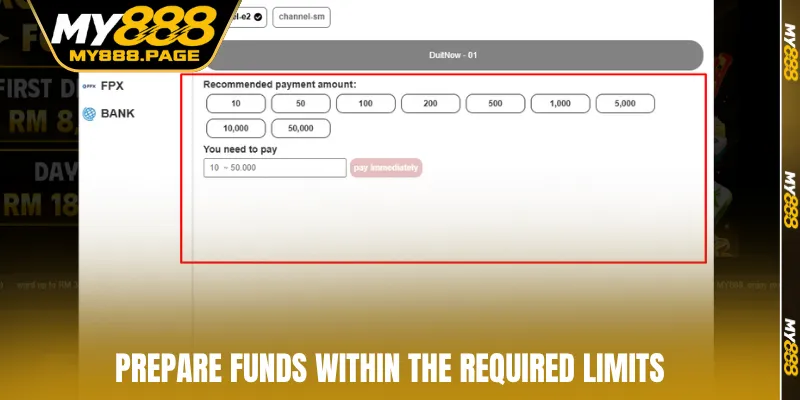
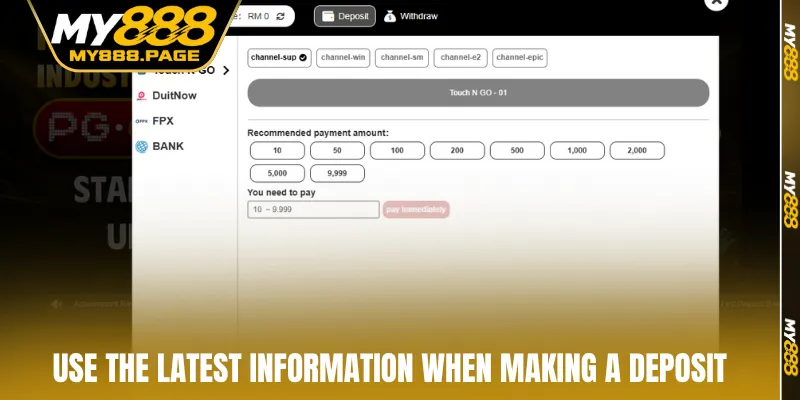
Deposit at MY888 can currently be completed through the official VCPay gateway within the account. Players can select a suitable method based on online banking, e-wallets, or QR scanning apps. Processing is generally instant according to the reference information, while QR Code remains valid for only 5 minutes.
|
Method |
Minimum amount | Fee |
Notes |
| FPX Online Banking | MYR 20 | Free | Payment through online banking |
| Touch ’n Go eWallet | MYR 20 | Free | Completed through the TnG app |
| QR Code | MYR 20 | Free | Code valid for 5 minutes |
Notes:
- FPX Online Banking is suitable for players accustomed to operating directly through Malaysian bank accounts.
- Touch ’n Go eWallet feels convenient for transactions made mainly by phone.
- QR Code is suitable when scanning through a mobile banking app or e-wallet.
Each option has its own limits to remember before transferring funds. For QR Code, the five-minute validity period is the most important factor because an expired code will no longer be valid. Players should have their banking app or e-wallet ready before generating the code to avoid processing delays.
Step-by-step guide to deposit at MY888
To deposit MY888 smoothly, players should check their account before starting the transaction. The steps are arranged in a clear order, from logging in and selecting a payment method to confirming the amount.
Transaction process via Touch ’n Go eWallet
Touch ’n Go eWallet suits players who are familiar with using their phones. The process is fairly short, mainly involving selecting the correct VCPay gateway before confirming the amount to transfer. The steps are as follows:
- Step 1: Log in to your MY888 account and open the Wallet section.
- Step 2: Select deposit, then choose VCPay.
- Step 3: Select Touch ’n Go eWallet from the methods.
- Step 4: Enter an amount of MYR 20 or more, then press Confirm.
- Step 5: Switch to the payment interface and check the displayed information.
- Step 6: Confirm through the Touch ’n Go app => Return to your account and check the balance after the transaction is successful.
Guide to transactions via FPX Online Banking
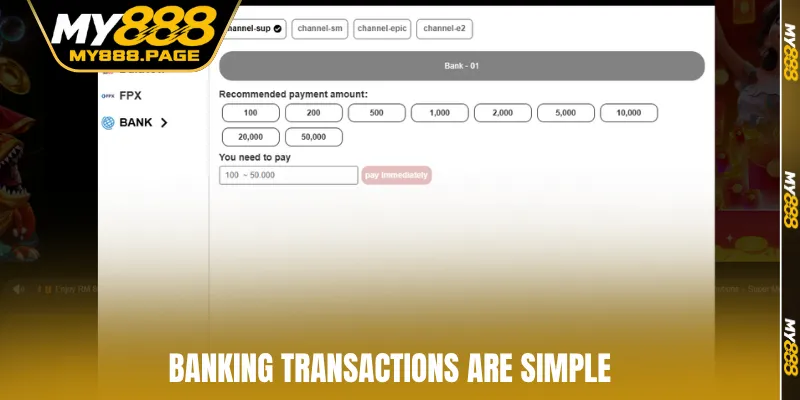
FPX Online Banking allows players to transact through an online bank account in Malaysia. The process focuses on selecting the bank, logging in to the correct account, then confirming the payment. Players should keep the transaction window open until the bank confirms completion.
- Step 1: Open your MY888 account and go to the Wallet section.
- Step 2: Select deposit, then choose VCPay.
- Step 3: Select FPX Online Banking.
- Step 4: Enter an amount of MYR 20 or more.
- Step 5: Select the bank you currently use.
- Step 6: Log in to online banking and check the recipient information.
- Step 7: Confirm the payment and wait for the completion notification => Return to MY888 and check the main wallet balance.
How to deposit MY888 via QR Code
QR is suitable when players want to use a mobile banking app or e-wallet to scan the code. QR is valid for 5 minutes, so the process should be completed immediately after the code appears. If the code expires, players need to reload the page and generate a new one.
- Step 1: Log in to MY888, access the Wallet section, then select deposit.
- Step 2: Select VCPay, then choose QR.
- Step 3: Enter the amount to transfer and check the figure before confirming.
- Step 4: Open your banking app or e-wallet, then scan the code.
- Step 5: Complete the transaction within 5 minutes.
- Step 6: Check the successful notification, then review the main wallet balance.
- Step 7: If the code expires, refresh the page instead of continuing to use the old.
Some notes when depositing to MY888
Before deposit at MY888, players should carefully check their account information along with the selected method. Verifying the correct amount and transaction details helps reduce errors during processing. The following notes can help the transaction proceed smoothly:
- Check the minimum limit of MYR 20 before proceeding.
- Ensure the bank account name matches the name registered with MY888.
- Ensure the Touch ’n Go wallet name matches the account information.
- Disable the pop-up blocker on the browser before switching pages.
- Select the correct VCPay option in the account section.
- Do not use a QR that has been valid for more than 5 minutes.
- Do not continue paying with an old code when the page shows that it has expired.
- Check the amount once again before confirming.
- Do not close the banking page while the transaction is still incomplete.
- Save the transaction code or successful payment notification.
- Check the balance after the bank confirms that the transaction is complete.
- Contact 24/7 online support if the transaction status has not been updated.
- Besides checking the limit, players should pay attention to the payment account name.
- Bank or e-wallet information should match the data registered with MY888 to reduce the chance of a rejected transaction.
- Players should not save an old code image for use in a later session. Each newly generated code should be paid immediately through the corresponding app to reduce the risk of expiration.
Errors when depositing to MY888 and how to fix them
Some errors may occur during transactions, usually involving account information, QR, browsers, or bank status. Players should identify the exact cause before retrying to avoid creating an unintended transfer.
|
Error |
Common cause |
Solution |
| Payment page does not open | Browser blocks pop-ups | Disable the blocker and reload the page |
| QR has expired | More than 5 minutes without payment | Generate a new QR |
| Transaction is rejected | Payment information does not match | Check the account name and try again |
| Balance is not updated | Bank is still processing | Wait for completion, then check again |
| VCPay is not visible | Incorrect Wallet section selected | Return to the payment page and select the correct gateway |
| FPX does not respond | Bank connection is interrupted | Check the bank and try again later |
FAQ about deposit MY888
The answers below focus on limits, processing times, QR, account names, and cases where the balance has not been updated. This information gives players a clearer basis before confirming a transaction. When an unusual situation occurs, players should check their payment history before creating a new transaction.
What is the minimum deposit amount at MY888?
The minimum amount according to the reference information is MYR 20 for FPX, Touch ’n Go, and QR. Players should enter the exact limit displayed on the payment page before confirming.
Does topping up via QR have an expiry time?
QR remains valid for 5 minutes from the moment the code appears. If this period has passed, players should refresh the page and generate a new code instead of using the old one.
Does the payment account name need to match MY888?
The bank account or e-wallet name needs to match the name registered with MY888. Checking the information before the transaction helps reduce the chance of payment rejection.
Why has the balance not been updated after the transaction?
Some transactions require additional processing time from the bank or gateway. Players should check the transaction status, save the completion notification, then contact support if the balance remains unchanged.
Which online banks can be used with FPX?
FPX supports direct payments through online bank accounts in Malaysia according to the reference information. Players only need to select the appropriate bank from the list displayed on the VCPay page.
Conclusion
Deposit correctly helps players stay in control of each transaction step, from selecting a suitable method to checking the balance after payment. FPX, Touch ’n Go, and QR each have their own process, so the information should be reviewed carefully before confirmation. Prioritize transactions directly through the payment gateway displayed in the account to reduce unnecessary mistakes. Choose the most convenient transaction method at MY888.